
Automating document management workflows can turn months of manual filing into days. An example of this is when Tourmaline acquired Bonavista, more than 500,000 land and well files were processed and connected to 6,183 wells within 48 hours — giving employees faster access to the records they needed.
That example points to the potential value of upstream oil and gas automation in document management: less time spent organizing records by hand and quicker access to information when your team needs it.
What is workflow automation in document management?
Workflow automation in document management uses the information in your records to trigger tasks, route work, and move a process forward.
Document management helps you store, organize, and retrieve information. Automation adds the next step. A new document can start a review, an approaching expiry can create a task, or a missing record can be flagged for follow-up.
For example: take a signed land agreement. In a manual process, someone receives it, names the file, saves it, updates a tracker, emails a reviewer, and adds key dates to a calendar.
In an automated workflow, the agreement is linked to the correct land record, important dates are captured, and the review is assigned automatically. Your team still makes the decisions. The system handles the repetitive steps.
Get your records ready for workflow automation
You cannot automate a process reliably if the system does not know what a record is, what it relates to, or which version is current.
Digitization is part of the answer, but scanning documents is not enough. Your records also need to be identified, classified, and connected to the wells, lands, agreements, or assets they support.
Give each record a clear identity
A document should be tied to something your team recognizes, such as a well, lease, agreement, asset, or project. That gives the system a clear starting point.
Classify the document correctly
A surface lease, drilling report, title opinion, environmental assessment, and notice of assignment do not support the same process.
The system needs to know what type of document it is handling so it can capture the right information and send the record into the appropriate workflow.
Connect related information
A document may contain the legal wording, while the land system holds the current status. A well master, public source, or regulatory record may provide more context.
Your applications do not need to become one system. But the workflow needs a reliable way to connect each document to the correct well, lease, agreement, asset, or project. This gives employees the information they need without forcing them to search across several systems.
Keep the source and history visible
Employees should be able to see where a value came from, which document supports it, and whether it was changed or approved.
Permissions, versions, approvals, and audit history should stay with the record. Automation should make the process easier to trace, not harder.
Ask these questions to see whether your records are ready for workflow automation:
- Can the system identify the record?
- Can it connect the record to the right asset or agreement?
- Can it detect the event that should start the workflow?
- Can it route the work to the right person?
- Can the result be traced back to its source?
Four upstream workflow patterns operators can automate
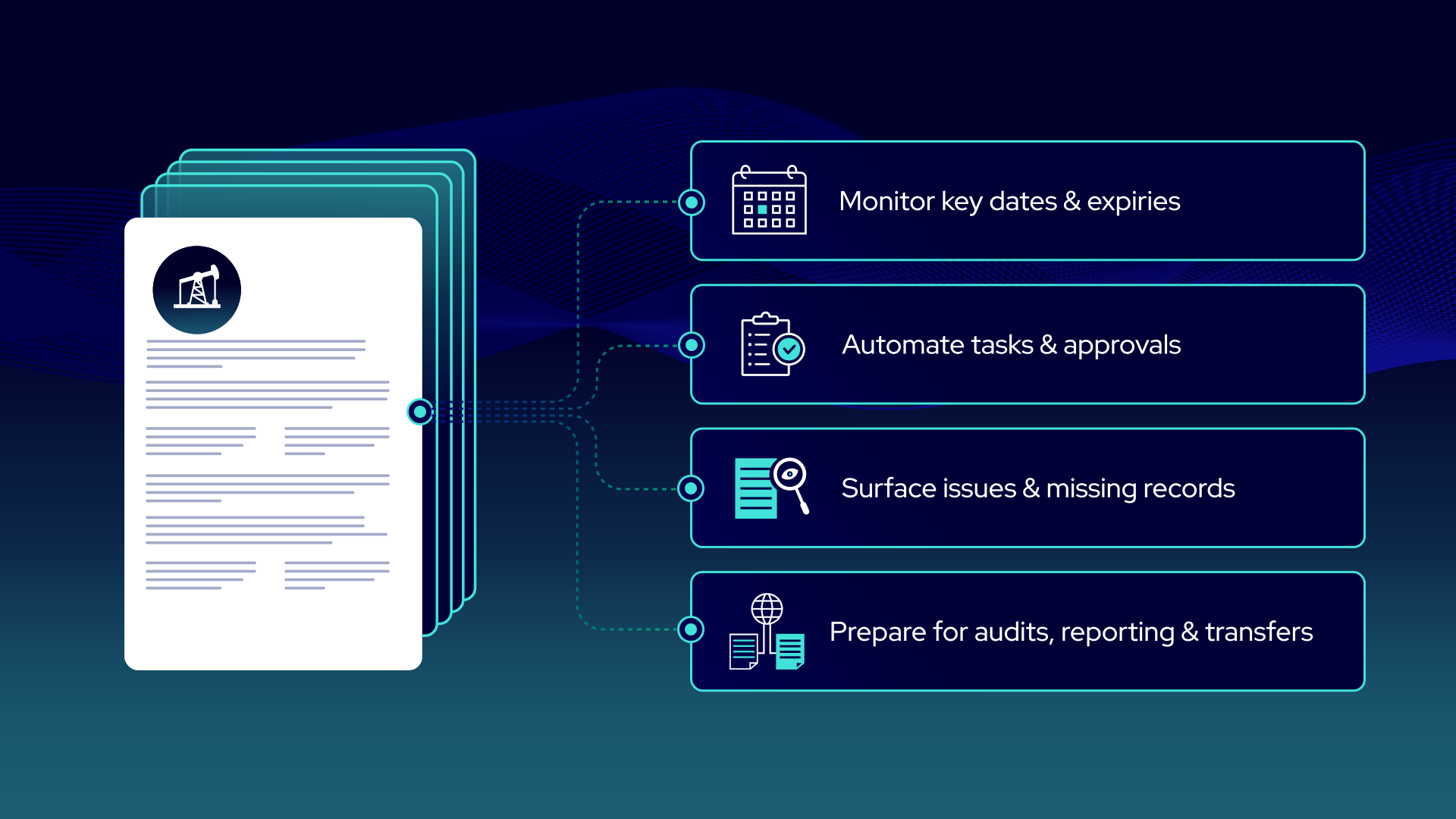
The details vary by team, but many document and data workflows fall into four common patterns.
1. Intake and organization
Automation can classify and title incoming documents, capture identifiers, and link records to the correct well, land, agreement, or asset. It can also flag files that cannot be matched confidently.
The goal is to prepare the information for the next step without forcing someone to piece together the background manually.
2. Monitoring and issue alerts
Many upstream workflows depend on changing dates, statuses, or records.
Automation can monitor upcoming expiries, outstanding approvals, missing documents, and conflicting values. These same connected workflows are also central to contract management systems in oil and gas, where operators track land agreements, obligations, and key dates. Rather than asking employees to check every record, it can surface the specific items that require attention.
For example, a workflow may flag a lease approaching expiry. It’ll then attach the agreement, amendments, current system record, and reason for the alert. With the context in hand, the land professional can now decide what action to take.
3. Gathering records for audits and reporting
Audits, regulatory requests, and internal reviews often require the same supporting records to be gathered repeatedly.
When documents are already classified and connected to the correct well, lease, agreement, or asset, automation can help gather the relevant supporting records and keep a clear history of what was reviewed, approved, or submitted.
Your team still confirms that the package is complete, but starts with a targeted set of records instead of a broad search.
4. Asset transfers and system changes
Acquisitions and divestitures put heavy pressure on document and data workflows.
Automation can help assemble records for diligence, connect transferred files to the buyer’s wells and agreements, and identify gaps before or after close. The same approach supports internal asset handoffs and system migrations.
AI can assist with specific tasks inside all four patterns, including document classification, extraction, historical search, and issue detection.
How upstream oil and gas automation changes day-to-day work
Automation gives your team the information, context, and next step together, so they spend less time searching and following up.
- Records arrive with the relevant documents attached
- Alerts explain why an item needs attention
- Tasks are assigned to the right person
- Managers can see what is pending or overdue
- Exceptions are flagged for review
- Fewer updates live in inboxes or personal spreadsheets
- Employees spend more time reviewing and deciding
Where AI fits into upstream workflow automation, and where it does not
AI can be part of an automated workflow, but it is not the whole workflow.
Some steps are simple and do not need AI. If an expiry date is already stored in your land system, a basic rule can flag every lease expiring in the next 180 days.
AI is most useful when a workflow depends on information contained inside documents, which opens up several practical AI use cases for upstream document and data workflows. It can help:
- Classify, title, and connect documents to the correct records
- Extract dates, parties, clauses, conditions, and technical values
- Compare related documents and flag missing or conflicting information
- Turn document content into searchable fields, tables, or summaries
A practical workflow could look like this:
- A rule flags leases that are approaching expiry
- AI finds the renewal or continuation terms in the related agreements and amendments
- The workflow sends the source documents and extracted details to the land team
- A land professional reviews the information and decides what to do
Your existing land and well data can help AI start in the right place. If a rule flags a specific lease, AI only needs to review that lease and its related documents, not every file in your records.
The same approach can support other workflows. AI may classify an incoming report, flag a missing document, compare a value against trusted system data, or prepare extracted information for the next task. Your team still reviews uncertain results and makes decisions that require professional judgment.
How to choose the first workflow to automate
When introducing upstream oil and gas automation, start with a process that happens often, follows a clear path, and creates unnecessary manual work.
Use five questions to map it:
- Trigger: What starts the work?
- Context: What documents and data are needed?
- Action: What can happen automatically?
- Exception: When does a person need to step in?
- Outcome: How do you know the work is complete?
Good starting points could include:
- Flagging leases approaching expiry
- Routing road-use or third-party requests
- Checking well files for missing records
- Gathering documents for an audit or regulatory request
Choose one workflow, measure how it works today, and automate the steps that do not require professional judgment.
Put upstream oil and gas automation to work
Upstream oil and gas automation works best when connected documents and data can trigger clear next steps, surface exceptions, and keep work moving. See how StackDX automates workflows for lease monitoring, expiry reviews, road-use and third-party requests, and compliance.