
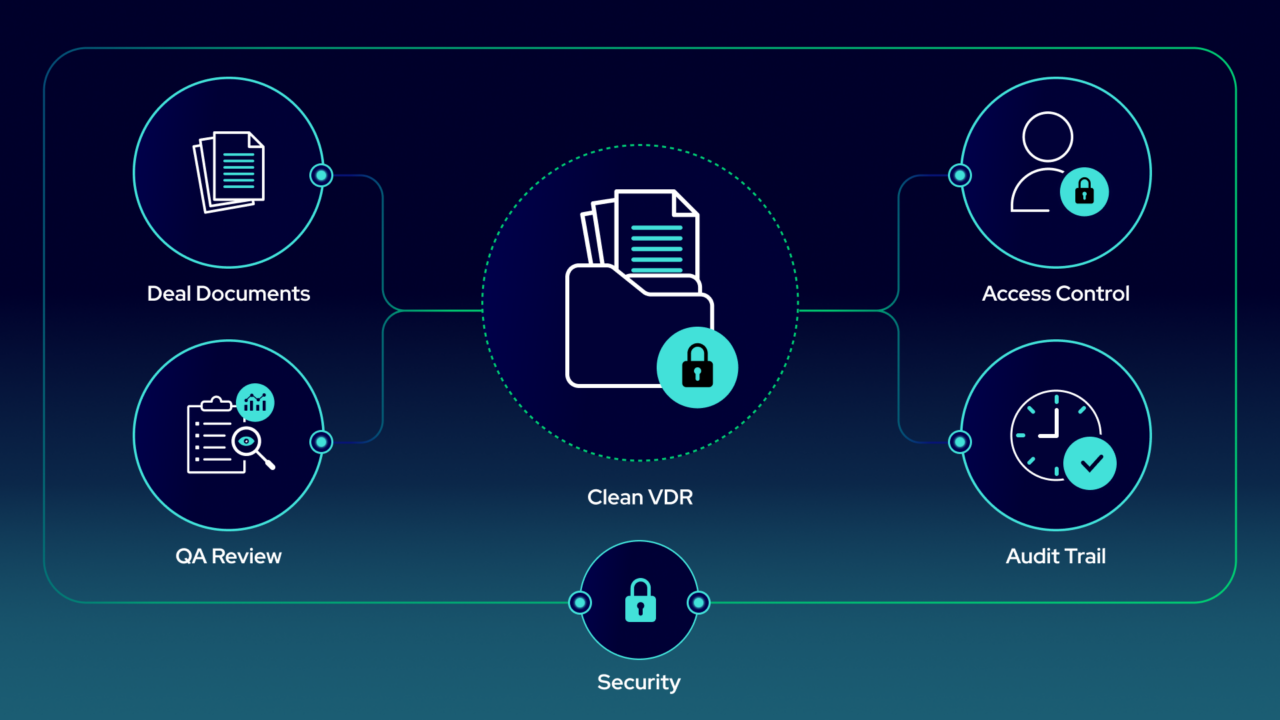
A well-prepared oil and gas virtual data room (VDR) gives buyers a complete, accurate, and traceable view of the asset package. They should be able to see what is included in the deal, find the records that support it, and trust that the VDR reflects the actual scope.
When the VDR is incomplete, disorganized, or poorly controlled, diligence gets harder. Missing files, wrong files, unclear naming, and loose access controls create doubt around the package. Buyers ask more questions. Your land, legal, engineering, accounting, and operations teams spend more time chasing records and clarifying issues.
That can delay the deal, weaken buyer confidence, increase the number of defects, or lower the overall price the buyer is willing to pay. It can also create problems later if there is a dispute about what was disclosed. It is one reason document quality matters across the full oil and gas A&D process, from sell-side prep through buyer diligence and post-close integration.
At a high level, setting up a sell-side data room looks like this:
- Define the deal scope
- Pull the exact records tied to that scope
- Ensure the data in the package is clean
- Grant and control access
- Track what happened in the VDR
That is what keeps due diligence moving and gives you a defensible record of what was disclosed.
Start with the exact deal scope
A sell-side data room should be built around the assets in the deal, not around where your files happen to live internally. Your folder structure may reflect departments, legacy filing habits, or past projects. The buyer is reviewing a specific asset package.
Your practical starting point is the deal scope: the land system query, map, project filter, or asset list that defines exactly what is included. From there, pull the records tied to those specific assets, such as:
- Leases and title reports
- Well files and production records
- JV agreements and partner notices
- Surface rights and agreements
- Facility records and environmental files
This gives you a simple rule: if a document is not tied to an in-scope asset, it should not be in the VDR. If a document should exist for an in-scope asset but is missing, that is a gap to find before buyers do.
When your land system is connected to your VDR process, this becomes much easier. Instead of asking each department to search for relevant files, you can populate the VDR from the query that defines the deal. That helps you move faster, but more importantly, it helps ensure the VDR reflects the actual package being sold.
QA the package before buyers ever log in
Before you invite buyers, review the data room as if you were the buyer. Make sure the VDR includes the right records, excludes the wrong ones, and is organized well enough for someone outside your company to understand.
Start with completeness:
- Do you have documents for every asset?
- Are leases missing amendments?
- Are contracts missing exhibits or schedules?
- Are well files missing key records?
- Are environmental or regulatory items missing?
- Are there known risk items that should be disclosed?
You should also remove files that are wrong, duplicated, stale, or confusing. A bad file can be worse than a missing file because it makes buyers question what else is wrong.
Then standardize naming and structure:
- Use plain, specific file names
- Add useful metadata
- Tie documents to the right lands, wells, contracts, facilities, or project areas
- Separate current records from historical backup
- Remove obvious duplicates
A clean room reduces buyer confusion and cuts down on avoidable follow-up. If buyers can understand what each file is, what asset it belongs to, and whether the package is complete, your internal teams spend less time answering basic questions and more time handling the diligence issues that actually require judgment.
Set permissions and preserve the audit trail
Once the oil & gas virtual data room is ready, lock it down.
The right bidder groups should see the right documents at the right time. Early-stage bidders may only need summary materials. Later-stage bidders may need access to the full land, legal, technical, commercial, and environmental records.
Use the controls available in the VDR:
-
- Bidder-level access control: Assign user roles, from read-only to write, so each party sees only what’s appropriate for their stage and their function. Strategic buyers, financial bidders, and management teams can each operate in their own lane.
- Project activation and deactivation: When your process ends, set the project to inactive.
-
- Audit trail: Every document available in the VDR is recorded and date-stamped for when it arrived in the VDR. If a question arises later about whether information was provided, you have a record to point to.
Use a centralized document hub and project structure to keep all materials organized and accessible in a single environment.
If a buyer later says something was not disclosed, you need to show what was in the VDR, when it was added, and who had access.
If the VDR is clean, diligence gets cleaner
A clean oil and gas virtual data room will not remove every diligence question. Buyers will still test title, production, contracts, economics, environmental exposure, and operating risk.
But a clean room makes the process more controlled: buyers can find the right files, understand how those files connect to the asset package, spend less time asking basic questions about what is missing or where something lives, and assess the highest value for the package. Your team can respond faster when real diligence issues come up, and you have a clear record of what was disclosed, when it was available, and who had access to it.
Here is the test: if a buyer logged in today, could they find the right files, trust the scope, and see a clean disclosure trail? StackDX helps sellers get to that point by connecting documents to the land, well, contract, and asset data that define the deal, so the VDR reflects the actual package being sold.