
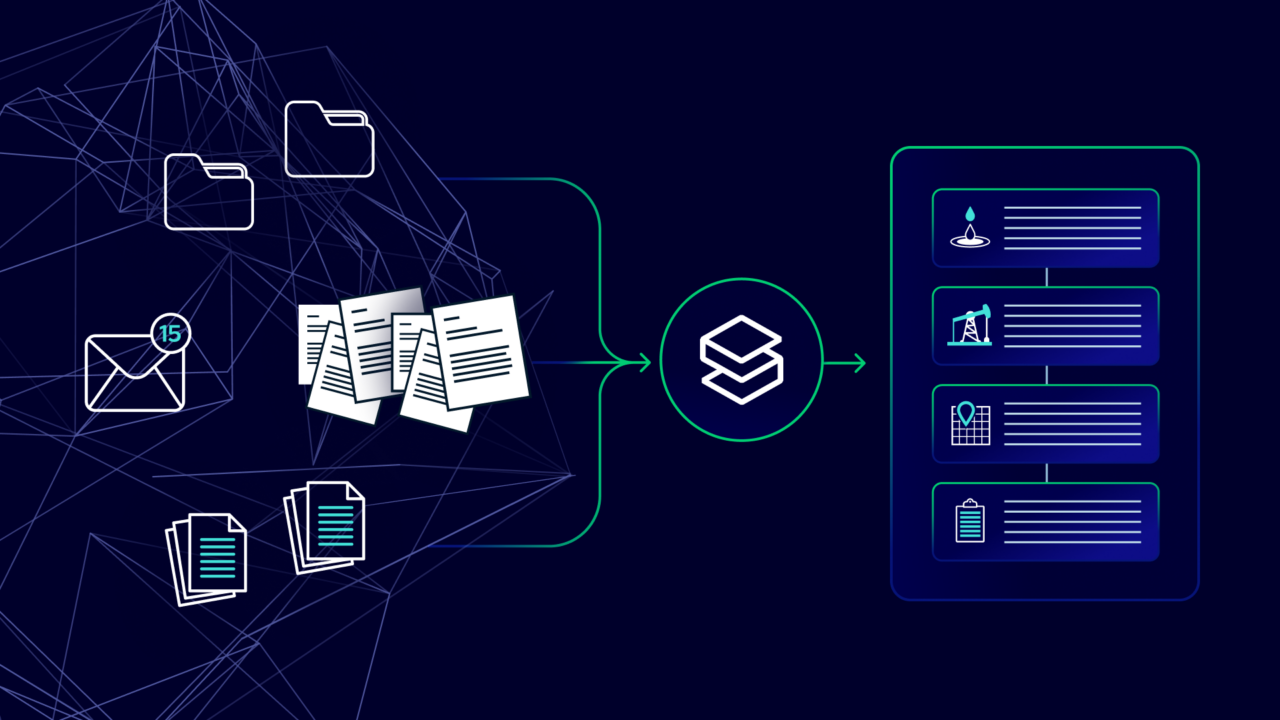
Eliminating data silos usually starts with a familiar problem: someone needs a document right now, and you can practically feel that it exists… somewhere.
That “somewhere” is usually a handful of places, like:
- Shared drives
- SharePoint sites
- Inboxes
- Vendor/regulator portals
- Whatever scanned legacy PDFs you inherited
When documents live across all these places, information ends up in data silos: hard to find, hard to trust, and rarely connected to the context (well, facility, agreement, land file) you actually work in.
What “data silos” look like in upstream
When you hear “data silos,” it can sound like teams are refusing to share. But it’s usually simpler than that: a data silo is when information that should be connected lives in separate places, so it’s hard to find, trust, or use across teams. In upstream, that happens when each team organizes documents in a way that works for their job, but it doesn’t work company-wide.
There are two common types.
1) Functional silos: same asset, different “keys”
Each of your departments use a different document identifier (key) that fits their specific workflow:
- Land stores by File Number (e.g., S01242)
- Construction stores by Location (e.g., 10-15-043-09W5)
- Engineering stores by UWI (e.g., 100/10-15-043-09W5)
All reasonable. The problem shows up the moment you deal with documents that cross workflows: photos, site surveys, access agreements, environmental reports, regulatory correspondence. Now the “same” document is filed three different ways, and nobody’s 100% sure which copy is current.
2) Data sprawl: same key, different hiding spots
Even if all your teams agree on the same well identifier key, documents can still end up scattered.
For example, drilling keeps its own well folder. Production keeps another. Someone has “the good copy” in email. Someone else saved it to their desktop. A vendor portal has a newer version (maybe) and nobody remembers the login.
A&D is a classic recipe for data sprawl. Teams often use oil and gas market intelligence to identify acquisition opportunities, but once the deal closes, they inherit a whole second set of files, and even with the best intentions, the two repositories rarely get fully merged. One “deal folder” lingers, new versions get saved elsewhere, and soon you’re asking: which copy is the latest?
The real cost of data silos
In upstream, data silos create real delays, risk, and rework (usually at the worst possible moment). And it’s measurable. McKinsey Global Institute estimates the average interaction worker spends nearly 20% of the workweek just searching for and gathering information.
That time drain gets amplified by the reality of “system sprawl.” AIIM’s 2023 industry survey found the average organization now manages about 5 content systems, up from about 3 a decade ago (nearly 60% growth) — and 74% of those systems aren’t connected to other line-of-business applications. That disconnect is where the pain lives: documents and key context don’t travel with the well/land record, so people end up hunting across tools, second-guessing versions, and rebuilding the story from scratch.
What “unified document control” actually means
To eliminate data silos, you need a document control system that goes beyond putting everything in one folder. Unified document control means you have a governed place where documents live, and the system supports the way upstream actually works:
- One source of truth for documents: a structured, governed platform
- A common taxonomy and metadata model that maps to upstream objects: well, facility, land file, agreement, project
- Controlled workflows: versioning, approvals, audit trails, retention/records expectations
With unified document control, you can answer confidently: “Is this the latest version?” “Who approved it?” “What does it belong to?” “Who can access it?” “Can we prove it later?”
For a deeper walkthrough of upstream document management (structure, governance, rollout), see our Complete guide to oil and gas document management.
The practical fix: organize documents by what they belong to (not where they live)
So what does unified document control actually look like in practice? It starts with one simple shift: stop organizing documents by where the files live (drive, SharePoint, inbox, etc.) and start organizing them by what the file belongs to (well, lease, facility, agreement, project).
So instead of:
“Completion reports are in Drilling and Completions Drive > TWP 11 > 2024”
You get:
“Completion report is linked to Well XYZ — so you can find it through the well’s relationships (e.g., surface location, linked mineral lease) or by the well’s attributes (e.g., spud date, formation, status).”
Same idea for land. An executed amendment shouldn’t live in “Land > Mineral > M000124 > Agreements.” It should be tied directly to the agreement/land file, so anyone looking at that tract can see the executed doc, the counterparties, key dates/obligations, and related wells, without guessing which folder tree holds the real version.
What you get when documents are connected to the record:
- Context shows up automatically: open a well or lease and you see everything tied to it
- Search gets easier: filter by area, asset, document type, or status (draft/final/approved)
- No more duplicates: one governed copy with version history
This is what unified access really means: documents plus key system data in one view, so people can answer questions without bouncing across five tools and three logins.
How to measure document management success in upstream
Here are a few metrics you can track to tell objectively if your document management system is working:
- Time-to-find-document (median): before vs after (and by team)
- Duplicate rate: how often you have multiple “current” versions
- Linkage coverage: % of documents linked to the correct well/land file
- Completeness score: identify “required” documents per object (e.g., each well should have a drilling report; each lease should have an agreement) and track missing items
- Adoption: active users per team (because a perfect system nobody uses is just an expensive filing cabinet)
Eliminate data silos with StackDX
If you’re trying to eliminate data silos, the goal is simple: the right document should be easy to find when it matters. And you shouldn’t have to wonder if it’s the latest version, or who signed off on it.
StackDX helps by connecting documents to the upstream records and workflows they belong to so land, engineering, ops, and compliance aren’t hunting across folders and portals to answer basic questions.