
Upstream oil and gas runs on documents: land agreements, well files, regulatory records, and everything that supports them. And if you’ve been through an acquisition, inherited legacy files, or dealt with a rotating cast of contractors and regulators, you’ve probably seen how fast that turns into a pile of PDFs scattered across drives, SharePoint, inboxes, vendor portals, and personal folders.
This guide covers the common documents you’re managing, how to structure a document management system that fits upstream reality, how to roll it out, and where AI can help (and where it can create headaches).
What oil and gas “document management” means in upstream
In upstream, document management is more than storage. It’s the full system for how documents get captured, classified, secured, found, governed, and used in day-to-day workflows.
Here’s a simple way to break it down:
- Document management: Day-to-day organization and retrieval so you can find the right document and use it in your daily work.
- Document control: Version history and audit trails (and sometimes review/approval steps) so you know what’s current and what changed.
- Records management: Retention rules and a clear, auditable process for keeping or disposing of records (and legal holds if needed).
Why lifecycle matters in upstream
Document needs change across a well’s lifecycle: planning, drilling, producing, and abandonment. Early-stage documents often drive decisions and approvals, then become critical reference later (especially during workovers, audits, incidents, or divestitures).
That’s why upstream document management can’t just be “a place to store files.” It has to preserve context over time: what the document applies to (well/lease/facility), when it was valid, what version was relied on, and what replaced it. When that context is missing, you spend time re-checking old work, rebuilding packages, or making decisions with incomplete history.
Common upstream document categories
Some common document categories you’ll run into in upstream oil and gas include:
- Land: leases, amendments, surface agreements, ROW, road use agreements, third-party contracts
- Well: daily drilling reports, mud logs, completions, stim reports, well servicing, workovers
- Regulatory: permits, well tests, incident reporting, approvals, correspondence
- Environmental: reclamation, monitoring, assessments
The cost of messy well files and land records
When document management breaks down, the cost shows up as wasted time, missed obligations, and audit exposure.
Data silos in upstream: what they are and why they hurt
A data silo is where documents and context get isolated, preventing sharing across your teams and systems. The result is poorer data quality and slower decision-making.
A simple example is a site survey. It’s used by Surface Land, Regulatory, Drilling, Completions, Facilities, and Operations. If each group keeps its own copy in its own silo, distribution becomes manual, and revisions turn into a mess. You end up with the same document stored across multiple datasets, and nobody’s fully sure which one is current.
When to roll out oil & gas document management software
Document management usually becomes a priority when your current setup starts slowing teams down or creating risk. These are the most common trigger points:
1) After an acquisition or asset transfer
Acquisitions & divestitures (A&D) is where document problems show up fast. You inherit someone else’s folder structures, naming conventions, and duplicates, then you’re expected to operate immediately.
A quick example: StackDX supported a merger where the deal included 100 wells and the seller was supposed to transfer the full well document sets. The initial package included documents for 85 wells, so it looked like 15 were missing. Later, they discovered 7 of those 85 were for wells not in the deal. Net: the buyer was missing 22 well document sets, and had received 7 they never should have.
Problems like this often aren’t caught until months later, when teams try to use the file — which is also when it’s hardest (and most expensive) to fix.
2) When shared drives and SharePoint sprawl become unmanageable
At a certain point, keeping files in SharePoint turns into document sprawl: files scattered across too many places, duplicate versions, inconsistent naming, and people granting access to the wrong documents.
This is also where upstream-specific headaches pile up, including scanned PDFs and massive “bulk files” that aren’t split or searchable, mislabels (wrong UWI/well), missing attachments, and incomplete sets. People waste time hunting for the right record, and nobody is fully confident they’ve got the full picture.
3) When teams need repeatable workflows, not just storage
Once documents start driving day-to-day work, you need more than a place to store them. You need documents linked to the upstream records they belong to (i.e. wells, land files, facilities, and agreements) so teams can run consistent workflows and quickly prove they’re using the right version. That’s what turns a pile of PDFs into an operational system.
What a modern upstream document system looks like
A modern document management system brings together three things:
- Unstructured data (documents)
- System data (land system, well master)
- Public/regulatory data (AER/OGC and other sources)
The goal is unified access so you can move from a well or land record straight to the documents that belong to it.
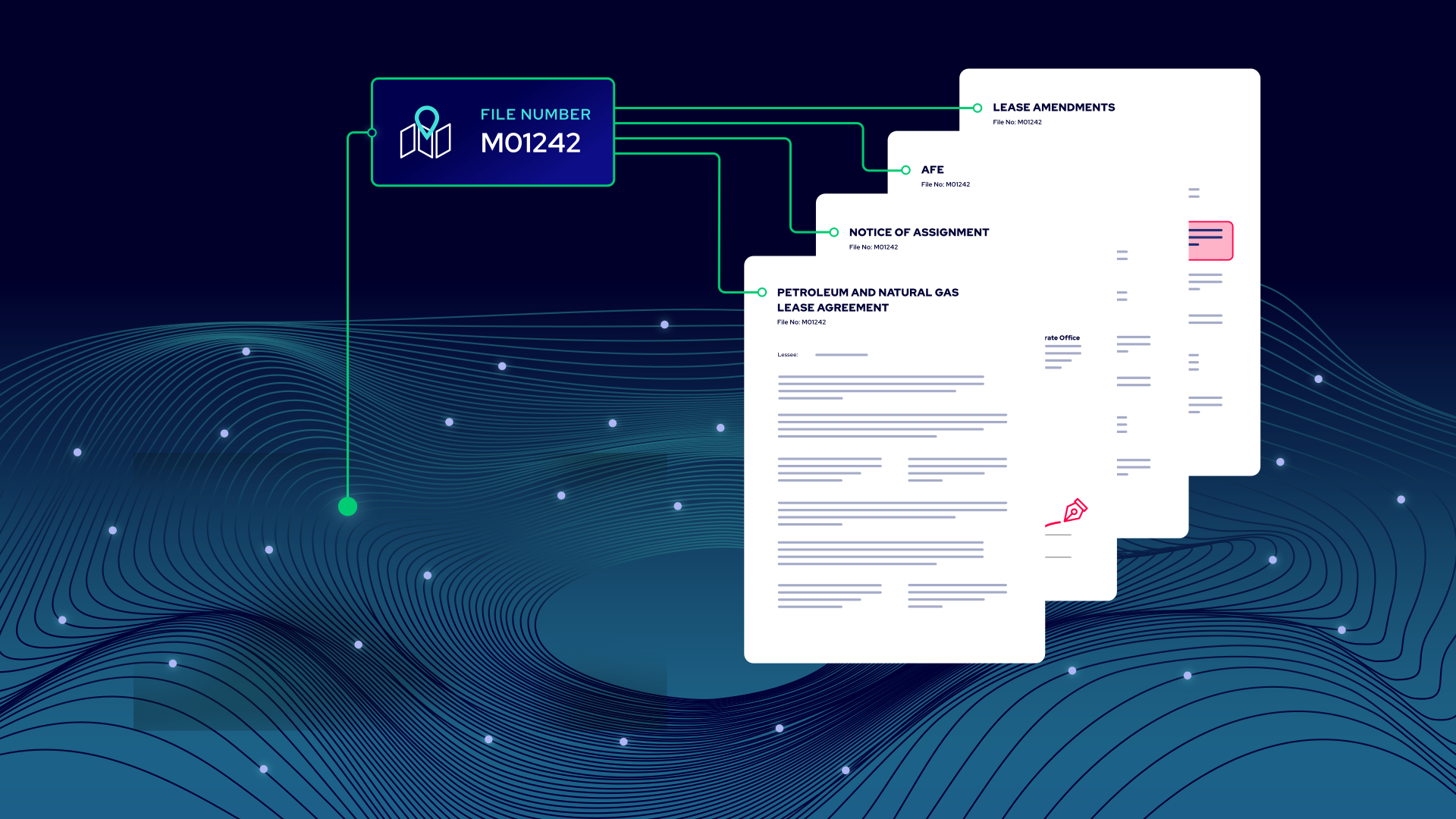
A well view allows engineers to see the well context through Mapping & Field Data and jump straight into the documents linked to that well (drilling, completions/workovers, and related regulatory records). A land view lets land teams pull up the right file number and see the agreements, amendments, correspondence, and supporting docs linked to that land record (and the parties/counterparties where available).
This reduces silos because now documents are tied to business objects (wells, leases, facilities), not floating in folders. You still can still use folders for convenience, but the system of record is the relationship, not the directory.
What to look for in an oil & gas document management solution (must-haves)
- Organizes docs the way upstream works:
- Look for oil & gas-specific taxonomy and metadata that supports land, well, and regulatory use cases.
- Makes retrieval fast:
- Searching for docs should be easy with filters, full-text PDF search (with Optical Character Recognition), and saved views for common workflows.
- Handles governance:
- Version history and audit trail so you can prove what changed, when, and by whom.
- Stays secure:
- Permissions, audit logs, and strong security controls.
- Fits your ecosystem:
- Robust APIs and integrations so documents connect to land and well systems instead of becoming another silo.
AI in oil and gas document management: what works and what fails
AI can be a real help in managing documents, but it’s not a cure-all. You’ll get the best results when it’s working inside a system with clean structure and clear context.
Where AI actually helps upstream teams
- Classifying documents as they come in. Instead of someone manually deciding “is this a surface lease or a drilling report?”, AI can tag documents by type and apply consistent naming so they land in the right place.
- Faster retrieval across well and land files. Upstream teams don’t want to search folder trees. They want to pull up a well or land file and ask a plain question, then get the right document back quickly.
- Targeted extraction for specific document types. Use AI to extract a defined set of fields from a defined set of documents, and return the results in a useful table (not a wall of text).
How not to use AI
- Using AI to “figure out” facts your systems already track. If the answer lives in your well master, land system, or regulatory dataset (formation, license date, operator, working interest, well status), you want the system to return that exact field value. AI can be the chat interface, but the source should be system data, not an old PDF.
- Relying on AI when your repository is messy or ambiguous. If a document is misfiled to the wrong well, AI can confidently give the wrong output. And if you have duplicates or multiple versions (e.g., JV agreement revisions), AI may answer from an older version unless versioning and “current” status are clearly controlled.
- Running prompts across “everything.” If AI has to search every document, you get higher cost and lower accuracy. Narrow the scope first: filter to the right wells, then filter to the right document types, and then finally run extraction or Q&A.
How to use AI safely and responsibly
AI only helps if people can verify it. That means every answer should point back to the source document (ideally with a clear file reference) so you can confirm accuracy quickly.
It also has to respect governance. AI should only surface documents the user is allowed to access, and you should validate extraction accuracy on real documents over time. Responsible use of AI means it’s verifiable, permission-aware, and accurate.
8 steps to implementing a document management solution in upstream oil and gas
Most document management projects fail because they try to migrate everything at once. The better approach is to start narrow, get adoption, and expand in a controlled way.
- Define “good” upfront: Agree on your core document categories and required metadata (well/land IDs, doc type, key dates).
- Pick a tight starting scope: Choose one asset/team or one acquisition package. Focus on the 10–20 document types people use weekly.
- Centralize the priority content: Pull the highest-value documents out of drives, SharePoint, and vendor portals into one controlled home.
- Make documents searchable at scale: Apply consistent naming, document types, OCR, and metadata so people can reliably find the right file fast.
- Link docs to upstream objects: Connect each document to the correct well and/or land record so docs aren’t floating PDFs and workflows can run.
- Quality-check completeness: Identify missing docs, duplicates, and misfiles (especially post-acquisition) and fix the highest-risk gaps first.
- Launch 2–3 high-value workflows: Start with the repeatable tasks your teams do constantly: expiry tracking, due diligence packages, well file health.
- Measure and expand: Track time-to-find, percentage linked to wells/land, duplicate rate, and completeness. Then repeat the same approach for the next asset/team.
How to choose the right oil & gas document management software
Most document management tools look similar in a demo. The best document management software doesn’t just store files, it connects documents to wells and land records, makes retrievals fast, and supports workflows. Use the checklist below to keep the evaluation grounded in what your teams actually need.
Vendor evaluation criteria (bullet checklist)
- Oil & gas-specific taxonomy support (land, well, and regulatory).
- AI indexing with human review loop to correct and improve results.
- Integrations via APIs/connectors to link docs to well master, land, and other systems
- Search experience (filters that match upstream objects).
- Security & governance (access control, audit history, retention).
- Proof it works at scale (millions of docs managed, enterprise clients).
- Clear DMS functionality (not just an AI extraction tool) with workflows and governance built in.
Questions to ask vendors
A strong vendor should be able to answer these clearly:
- How do you link documents to wells and leases: tags only, or integrated with system data?
- How do you prevent duplicates and wrong-well mislabels during intake and migration?
- Can you run extraction on a narrowed scope (e.g., drilling reports for these wells), not the whole repository?
- What does adoption look like for land analysts and engineers: what rollout approach actually works?
- How do you handle document control: version history, audit trail, and drafts vs executed docs?
- How do you support records retention: can we enforce our retention policy and preserve documents for audits or legal matters?
- How do you make scanned documents searchable (OCR), and how do you handle bulk files?
- How do you measure and improve AI accuracy over time?
Manage your documents with StackDX
Upstream teams get stuck because documents are scattered, unlabeled, duplicated, and disconnected from the wells, land files, facilities, and regulatory context that make them usable.
A modern oil and gas document management approach brings documents together with system data and public/regulatory data, so teams can find the right file fast, prove what happened, and run repeatable workflows.
If you want to see what that looks like for your team, book a StackDX demo today.
FAQs
What is an electronic well file (EWF)?
An electronic well file (EWF) is the digital home for a well’s key documents across its lifecycle (planning through abandonment), organized so teams can retrieve the right record quickly and consistently.
Should working files be stored in an electronic well file?
It depends. Some teams keep only final and executed records so the EWF stays “clean” and disposition-ready (no drafts or cancelled plans). Others include working files to keep everything in one place for day-to-day efficiency, as long as drafts are clearly labeled.
How do I eliminate duplicates?
If two files have the exact same document hash, you can confidently flag one as a true duplicate. For “near-duplicates” (e.g., a native electronic PDF vs. a scanned copy of the same document), run similarity scoring reports to surface likely matches for review. Those still need human eyes to confirm which version is authoritative (and whether both should be kept for provenance).
How do you link documents to wells and land systems so they aren’t just floating PDFs?
Use a system that ties documents to upstream objects (wells, agreements, facilities) and integrates with system data (well master, land system). The relationship becomes the organizing principle, not the folder tree.
When is SharePoint “good enough,” and when do upstream teams outgrow it?
SharePoint can work for basic storage and collaboration. Teams outgrow it when they need upstream object linkage, consistent metadata at scale, strict document control, audit-ready traceability, and repeatable workflows across land, engineering, and compliance.
Where does AI help in document management, and what guardrails keep it trustworthy?
AI helps most with intake classification, faster search, and targeted extraction for specific document types. Guardrails include traceability to source documents, permission-aware retrieval, filtering before prompting, and measuring extraction accuracy so users can trust results.